


How to reset your pin?
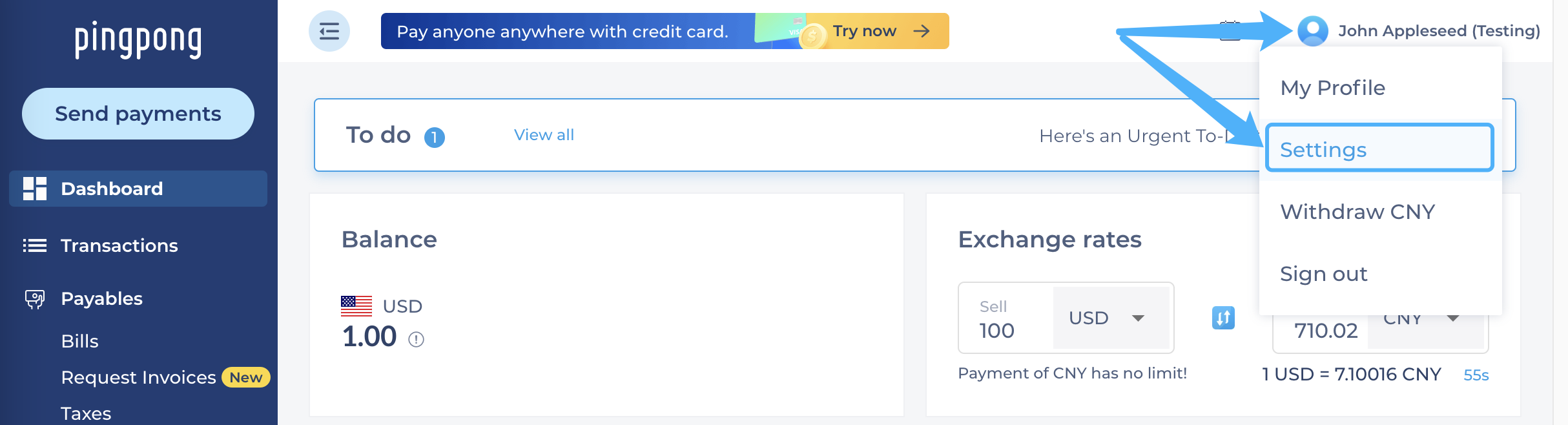
Step 1: Log in to your PingPong account and select the profile icon in the upper right-hand corner, and then click “Profile”.
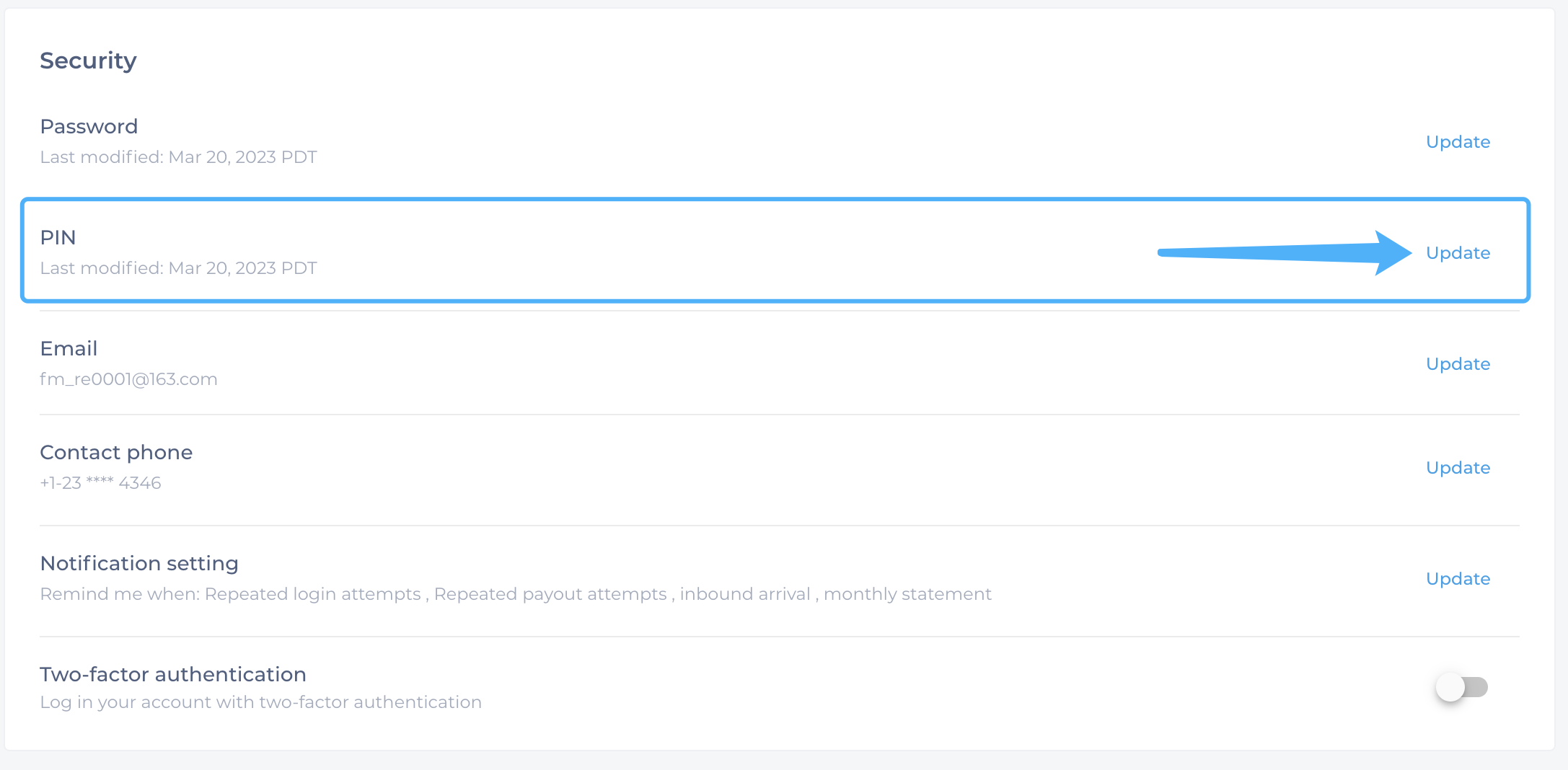
Step 2: Locate the “PIN” section and select “Update”.
Step 3: Scroll down and select “I have forgotten my current PIN”.
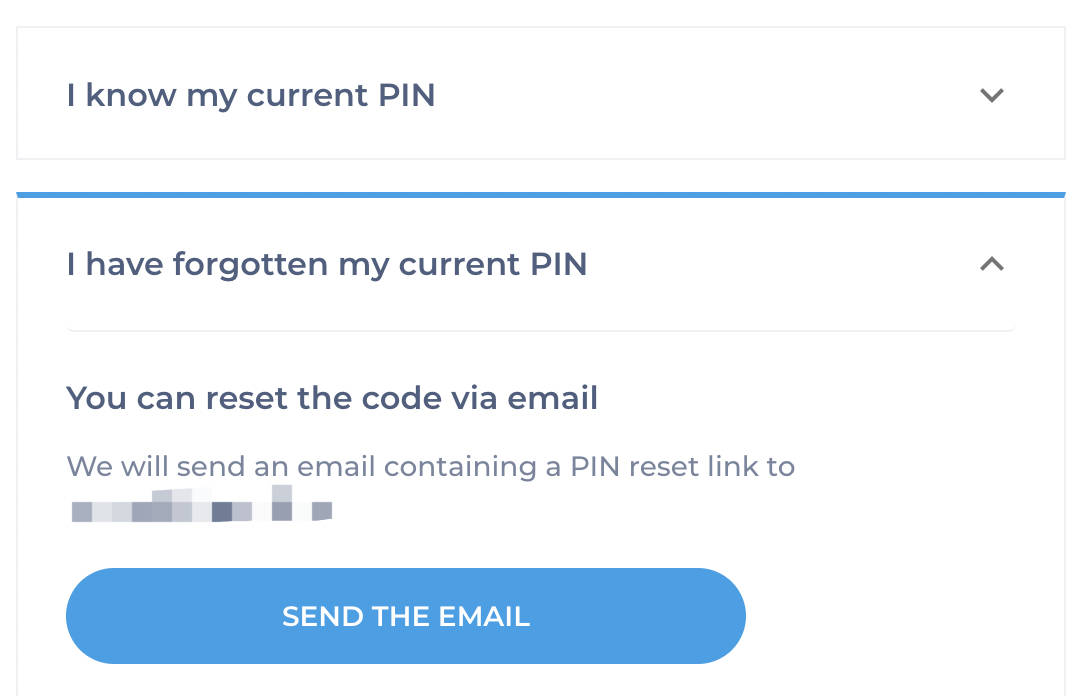
Step 4: Select a method to reset the PIN based on the situation: By email or contact customer service for help.
Still need help?
Our bank partners

%201.svg)

%201.svg)
%201.svg)


.svg)
Start with global payment and pingpong payment.
Our all-in-one global payments solution will take your business to the next level.